Table of Contents
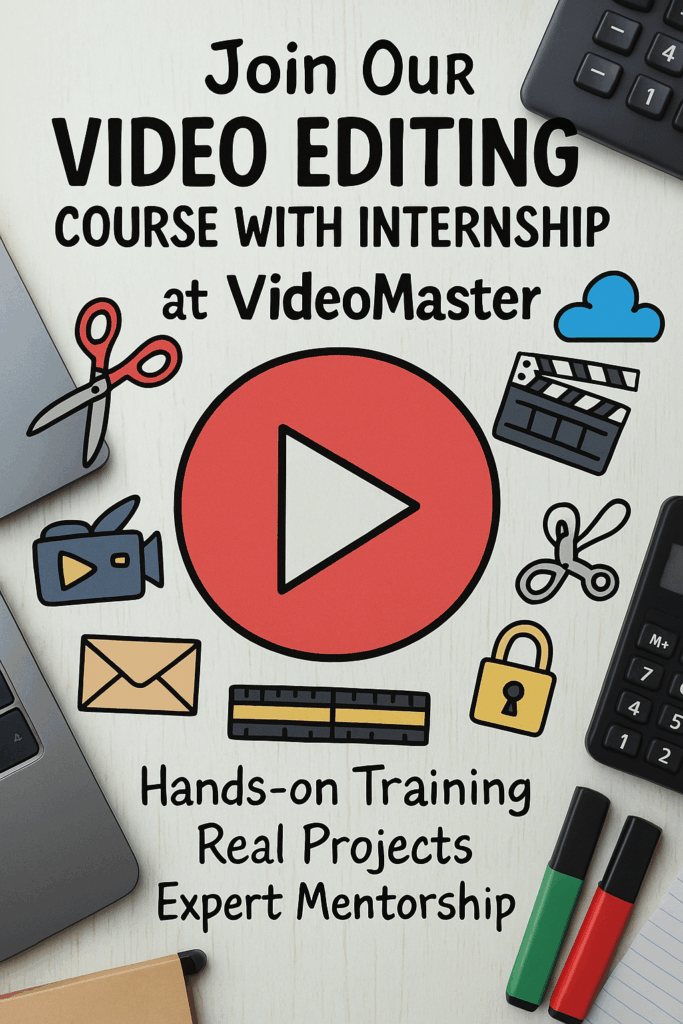
ToggleVideo editing course in Hyderabad
With
100% Placement Assistance
- Online
- Class Room
- 3 Months
- Real Time Projects
- Internship Until You are Placed
Video Editing course in Hyderabad
Batch Details
|
Trainer Name |
Mr. Sudheer |
|
Trainer Experience |
15+ Years |
|
Next Batch Date |
23rd June 2025 (10:00 AM IST) (Offline) 23rd June 2025 (10:00 AM IST) (Online) |
|
Training Modes |
Offline, Online Training (Instructor Led) |
|
Course Duration |
3 Months |
|
Call us at |
+91 81869 44555 |
|
Email Us at |
videomaster@gmail.com |
|
Demo Class Details: |
VIDEo Editing Course in hydrabd
Why Learn
- Multiple Real-Time Video Editing Projects
- Work on Live Client-Based Assignments
- Internship till you get the JOB
- 100% JOB Oriented Program
- Experience Equivalent to 1–2 Years in Just 3 Months
- One-One Mentor with Project Support
- Access to 100+ Interview Questions for Editors
- Soft Skills & Interview Preparation
- 360-Degree Training: Film, YouTube, Wedding, Corporate & Ad Videos
- Daily 3–4 Hrs Lab Practice with Expert Guidance
- List Item #3
- Training by Industry Professionals
- Portfolio Building with Real Projects
- Access to Premium Editing Tools (Premiere Pro, After Effects, FCP, DaVinci)
Video Editing Course with Internship
Curriculum
Module 1: Introduction to Video Editing
- Basics of video formats and resolutions
- Understanding frame rates and aspect ratios
- Types of video editing (linear vs. non-linear)
- Overview of editing software
- Internship orientation and goals
Module 2: Storytelling Through Editing
Visual storytelling fundamentals
Script breakdown for editors
Shot types and continuity
Editing styles and tones
Analyzing sample video stories
Module 3: Project Setup & Media Management
File organization techniques
Naming conventions and folder structures
Importing footage efficiently
Working with proxies
Backup and workflow practices
Module 4: Premiere Pro – Beginner Level
Interface overview
Basic editing tools (razor, ripple, slip, etc.)
Creating a timeline
Adding basic transitions
Exporting simple edits
Module 5: Audio Editing Basics
Audio types and formats
Adjusting audio levels
Removing background noise
Syncing audio with video
Adding sound effects
Module 6: Working with Music
Choosing the right background music
Audio ducking techniques
Beat-based editing
Royalty-free music sources
Licensing basics
Module 7: Advanced Premiere Pro Techniques
Multicam editing
Nested sequences
Advanced transitions and effects
Adjustment layers
Lumetri Color basics
Module 8: Color Correction & Grading
Understanding color scopes (RGB, Waveform)
Primary vs. secondary color correction
Using LUTs
Matching colors between clips
Stylized grading techniques
Module 9: Titles & Graphics
Creating simple titles
Using essential graphics panel
Lower thirds and captions
Motion graphics basics
Exporting graphics templates
Module 10: Working with Green Screen (Chroma Key)
Shooting tips for chroma key
Keying out green/blue backgrounds
Refining edges and shadows
Adding virtual backgrounds
Color matching for realism
Module 11: Adobe After Effects – Basics
Interface and workspace
Keyframing animations
Using shape layers
Text animations
Simple motion graphics project
Module 12: Visual Effects Integration
Interface and workspace
Keyframing animations
Using shape layers
Text animations
Simple motion graphics project
Module 13: Working with Stock Footage & Templates
Where to find quality stock
Customizing video templates
Blending stock with original footage
Template licensing and usage
Efficient template editing
Module 14: Editing YouTube Videos
YouTube content formats
Fast cuts, zoom-ins, memes
Adding subtitles
Branding with intros/outros
Engagement techniques
Module 15: Editing for Social Media
Vertical and square formats
Story/Reel-style videos
Subtitle formatting
Short-form storytelling
Scheduling & platform-specific specs
Module 16: Corporate & Promo Video Editing
Brand guidelines in editing
Logo animations
Voiceover integration
Testimonials & B-roll
Product highlight video styles
Module 17: Documentary & Interview Editing
Organizing interviews and B-roll
Cutting for emotion and truth
Using archival footage
Graphics and timelines
Creating a compelling narrative
Module 18: Wedding & Event Video Editing
Cinematic editing styles
Music sync with mood
Emotional storytelling
Transitions and slow motion
Color grading for events
Module 19: Editing Short Films
Scene transitions and pacing
Dialogue cuts
Music and dramatic tension
Audio mixing for film
Final output and screening
Module 20: Voice Over Recording & Sync
Setting up for VO recording
Noise control and EQ
Syncing VO with visuals
Layering with music/SFX
Final mixing and leveling
Module 21: Sound Design & Foley
Understanding diegetic vs. non-diegetic sound
Adding impact with effects
Layering multiple sound elements
Creating atmosphere
Recording DIY Foley sounds
Module 22: Final Output & Exporting
Export settings for different platforms
Bitrate and compression tips
Creating deliverables (master + social versions)
Archiving project files
Uploading & sharing best practices
Module 23: Internship Project Planning
Choosing a final internship project
Pre-production planning
Timeline and feedback process
Team roles (if collaborative)
Draft submission
Module 24: Real-World Client Practice
Editing a real or mock client brief
Working with feedback rounds
Revisions and time management
Presentation techniques
Client-ready delivery
Module 25: Review, Portfolio & Certification
Final assessment & review
Constructive feedback session
Building an editing portfolio
Internship certificate
Career & freelancing guidance
Video Editing Course in hydrabad
What is video Editing
- Video Editing: Video editing enhances a brand’s visual storytelling by refining rd online ads.
- Social Media Videos: Creates engaging content for platforms like Facebook, Instagram, and YouTube to reach audiences, boost brand presence, and drive viewer engagement.
- Performance Analysis: Uses tools to track viewer metrics and video performance, helping creators and businesses optimize content and improve results.
- List Item
- Creative Production: Focuses on producing attractive and professional videos using music, transitions, and visual effects to hold audience attention.
- Targeted Video Content: Allows the creation of tailored videos for specific audiences based on age, interests, and viewing behavior, increasing engagement and effectiveness.
- Platform-Specific Editing: Focuses on tailoring video content to match the format, duration, and style of different platforms like Instagram Reels, YouTube Shorts, and TikTok for better viewer engagement.
- Visual Storytelling Techniques: Teaches how to structure a video narrative using pacing, transitions, music, and emotion to keep viewers hooked and deliver a powerful message.
- Client-Based Project Workflow: Covers real-world client workflows including project briefs, scripting, revisions, and final delivery — essential for freelancing or working in an agency.
- Thumbnail and Preview Design: Shows how to design eye-catching thumbnails and preview clips that improve click-through rates on platforms like YouTube and Vimeo.
Master TOOLS
Get Hands-on experience on tools that are used in industry
Add Your Heading Text Here
-
Industry-Specific Demand Video editing is essential across industries like film, advertising, social media, education, and business. Every brand needs video content, making editing a highly demanded skill
-
Comprehensive Creativity & Control Video editing gives creators full control over visuals, audio, effects, pacing, storytelling, and mood—allowing them to produce professional videos from raw footage.
-
High Flexibility & Customization Editors can style videos for different purposes—cinematic, corporate, reels, YouTube, weddings, promos, or VFX. Every project can be customized with transitions, color grading, motion graphics, and sound design.
-
Powerful Integration with Tools & Software Modern editing platforms like Premiere Pro, DaVinci Resolve, After Effects, and Final Cut integrate easily with audio tools, graphic design apps, camera formats, and VFX software, making workflows smooth and efficient.
-
Continuous Innovation in Technology AI tools, automation, motion tracking, 3D graphics, and cloud editing have transformed the editing process—making it faster, smarter, and more creative than ever before.
-
Enhanced Viewer & Customer Experience Good editing improves storytelling, clarity, and engagement. Edited videos keep viewers watching longer and help brands communicate their message effectively.
-
Excellent Career Opportunities With high demand across YouTube, OTT, advertising, social media, corporate production, and freelance markets, video editors have diverse career growth options and strong earning potential.
- Proven Success Across the World Top creators, filmmakers, companies, and influencers rely on professional video editing. Its global adoption proves its importance, value, and long-term career scope.
Why is video editing Popular
Key points
- Comprehensive Curriculum
Learn essential video editing topics like timeline editing, color correction, audio mixing, and motion graphics. Gain both basic and advanced knowledge to become proficient in professional video editing.
- Hands-On Learning
Work on live editing projects and real-world case studies. Apply your skills in practical scenarios and learn how to craft compelling videos through hands-on experience.
- Real-Time Experience
Participate in internships where you edit actual content for clients or brands. Build a professional portfolio showcasing your capabilities in storytelling and post-production.
- Expert Instructors
Learn from seasoned video editors and industry experts. Get insights into workflows, editing techniques, and creative problem-solving from professionals who know the field inside out.
- Internship Opportunities
Take part in internships designed to give you real-world exposure. Edit content across various genres, helping you build a well-rounded resume and industry connections.
- Flexible Learning Options
Choose between online or classroom sessions. Study at your own pace with flexible schedules that fit your personal and professional commitments.
- Networking Opportunities
Connect with professionals, mentors, and peers in the video editing industry. Build a strong network that can open doors to future career opportunities.
- Career Support
Receive dedicated support in job searching, resume building, and interview preparation. We help you transition smoothly from training to career placement.
- Certification
Earn a recognized certification upon course completion. This credential validates your expertise and enhances your employability in the video editing industry.
Course in Hyderabad
Riviews
Eligibility Criteria
1. Basic Computer Knowledge
You should be comfortable using a computer, managing folders, installing software, and performing simple operations like copy, paste, and file transfers.
2. Interest in Creative Work
A natural interest in videos, storytelling, filmmaking, or social media content will make the learning process smooth and engaging.
3. Understanding of Basic english
Since most editing software and tools use English menus and commands, a basic understanding of English is helpful.
4. Access to a Laptop or Desktop
A system with moderate specifications (8GB RAM recommended) will help you practice tools like Adobe Premiere Pro and DaVinci Resolve.
(Institute practice systems are available if you don’t have personal equipment.)
5. No Prior Editing Experience Required
This course is built for beginners. You can start fresh with zero experience, and we guide you step-by-step toward advanced editing skills.
video editing Course with Internship
- Video Master - Course Certification
- Internship Letter
- Internship Acknowledgement Letter
Video editing Course with Internship
Modes
Classroom Training
- Certified Trainer With 15+ Years of Experience
- One-to-One Project Mentors
- 100% Placement Guarantee
- Resume Creation + Mock Interviews
- Free & Paid Internships
- Unlimited Class Access for 1 Year
Online Training
- Flexible training schedule allowing learners to study at their own pace.
- Visual demonstrations of AdSense features and best practices.
- Virtual mentorship opportunities for personalized guidance.
- Immediate feedback on performance and areas for improvement.
Video Training (Self-Paced)
- Pre-recorded video tutorials covering
- Practical examples showcasing successful AdSense implementation.
- Alerts or notifications for new video releases or updates to training content.
- Interview Guidance
Salaries
A video editing intern in India can generally expect a monthly stipend ranging from INR 10,000 to INR 15,000, depending on factors such as the company size, city, type of projects, and individual skills.
In Hyderabad, a video editing intern typically earns a stipend between INR 8,000 to INR 15,000 per month. The exact amount may vary based on the organization’s scale, internship role, and the intern’s experience and proficiency with editing tools.
FAQ'S
1. Who is this course ideal for?
This course is perfect for beginners, students, freelancers, and professionals who want to learn video editing from scratch or upgrade their existing skills with real-world experience.
2. What software/tools will I learn during the course?
You will get hands-on training on popular tools like:
Adobe Premiere Pro
Final Cut Pro (FCP)
DaVinci Resolve
After Effects (for motion graphics & VFX basics)
3. What will I learn in the video editing course?
You’ll learn to use tools like Adobe Premiere Pro, After Effects, and DaVinci Resolve to edit videos, add transitions, apply effects, and export content professionally for social media, YouTube, films, and more.
4.Is there a certificate and internship included?
Yes! You’ll receive a course completion certificate and a real-time internship where you’ll work on live projects to build your portfolio.
5.Do I neNo, this course is suitable for beginners. We start from the basics and guide you to advanced techniques.ed any prior experience to join?
6. What are the job opportunities after the course?
You can apply for roles like Video Editor, Content Creator, YouTube Manager, Post Production Assistant, and Freelance Editor. We provide 100% placement assistance.
7. Is the course available online?
Yes, we offer:
Classroom Training
Online Live Training
Self-paced Video Training (with lifetime access)
8. What is the duration of the course and internship?
The course typically lasts 2 to 3 months, followed by an optional 1-month internship with real-world project exposure.
9.What kind of projects will I work on during the internship?
You’ll work on live video projects such as:
YouTube content
Short films
Instagram reels
Client advertisements
Event videos
This helps you build a strong portfolio.
10. Will I get support if I face doubts after class?
Yes. You’ll get one-on-one mentor support, access to doubt-clearing sessions, and lifetime WhatsApp support.
11. Can I join even if I don’t own a high-end PC?
Yes. You can attend classes on a basic computer. For editing practice, we provide access to our labs or cloud-based tools during the course/internship.
10. What is the course fee? Are EMI options available?
The course is affordable, and EMI/payment plans are available. Contact us on WhatsApp for current offers and pricing.
12. Will I get lifetime access to learning materials?
Yes! You’ll get lifetime access to:
Class recordings
Practice files
Updated course content
13. Are mock interviews and resume support included?
Yes. We prepare you for real-world jobs with:
Mock interviews
Resume building sessions
Portfolio review & feedback